Stop typing
vendor bills.
Attach a supplier bill as PDF, image, Excel, CSV or a Google Sheets export to a draft, click one button, and the AI reads the vendor, dates, totals and line items for you. You review and confirm. Nothing posts on its own.
Open-source, LGPL-3. Works on Odoo Community and Enterprise.
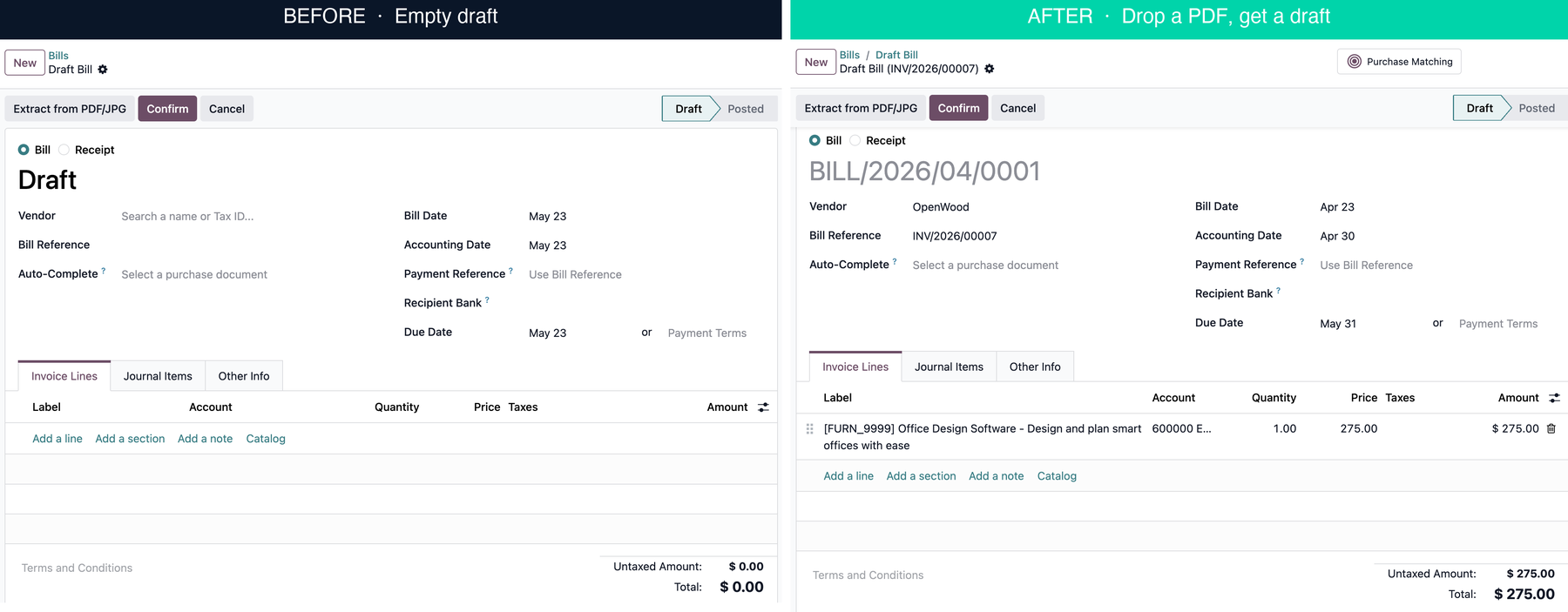
One click between these two states.
What it does
Reads the document, pre-fills the draft, leaves the posting to you.
Entering vendor bills by hand means retyping numbers a supplier already printed on the invoice. This module reads the file and pre-fills the draft for you: vendor name and VAT, bill reference, bill and due dates, currency, line items and totals.
It is a review-first tool. The bill stays a draft, every field is yours to correct, and you decide when to post. The only dependency is Odoo Accounting.
Why this module
Three things most extraction tools skip, included free.
Per-field confidence score
A green / amber / red badge on every extracted field. Sort by lowest first, you only check the uncertain ones.
Native Arabic and RTL
Reads English, Russian, Ukrainian and Arabic invoices. RTL documents flip the review screen automatically, no setting to toggle.
Smart vendor and tax matching
Vendor matched by VAT first, then by name. Purchase taxes matched by rate to your existing account.tax records. The module does not invent master data behind your back.
Two entry points
Click Extract from File on a draft bill, or use Accounting > Vendors > Extract Bill from File and the module creates the draft for you.
Monthly quota, always visible
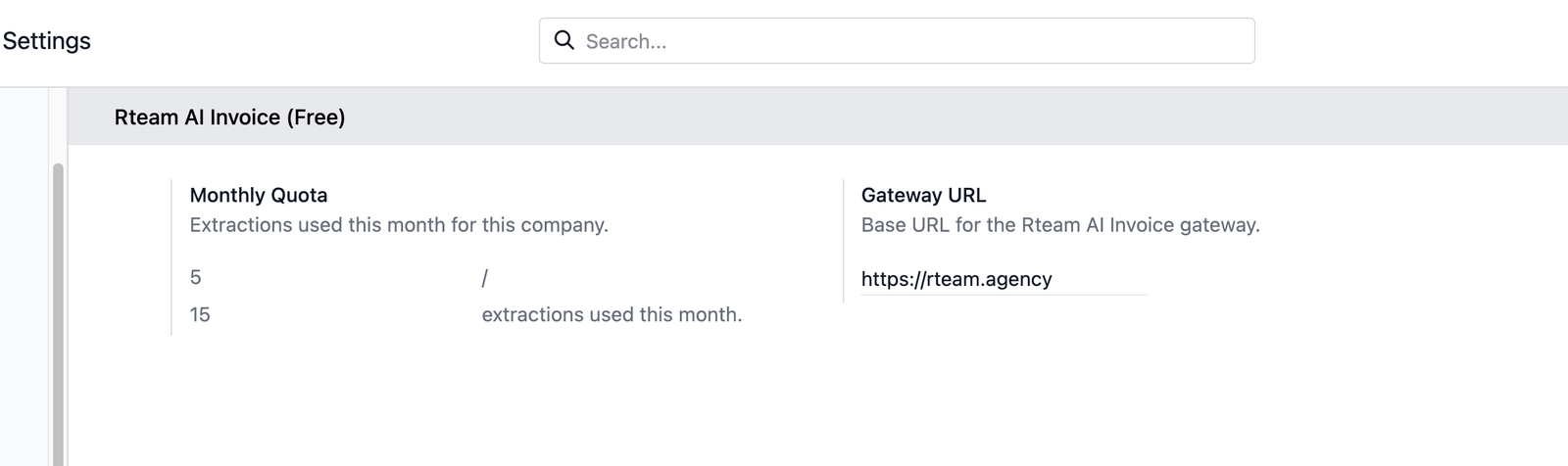
A counter in Settings shows how many of your 15 free extractions you have used this month. Only successful extractions count, a failed attempt is free.
Zero setup
Hosted Rteam AI gateway works out of the box, no API key to paste, no account to create. Optionally point at your own endpoint.
How it works
Drop a file, review the preview, confirm.
Three real screens from a live Odoo 19 instance. The same screens look identical on 17 and 18.
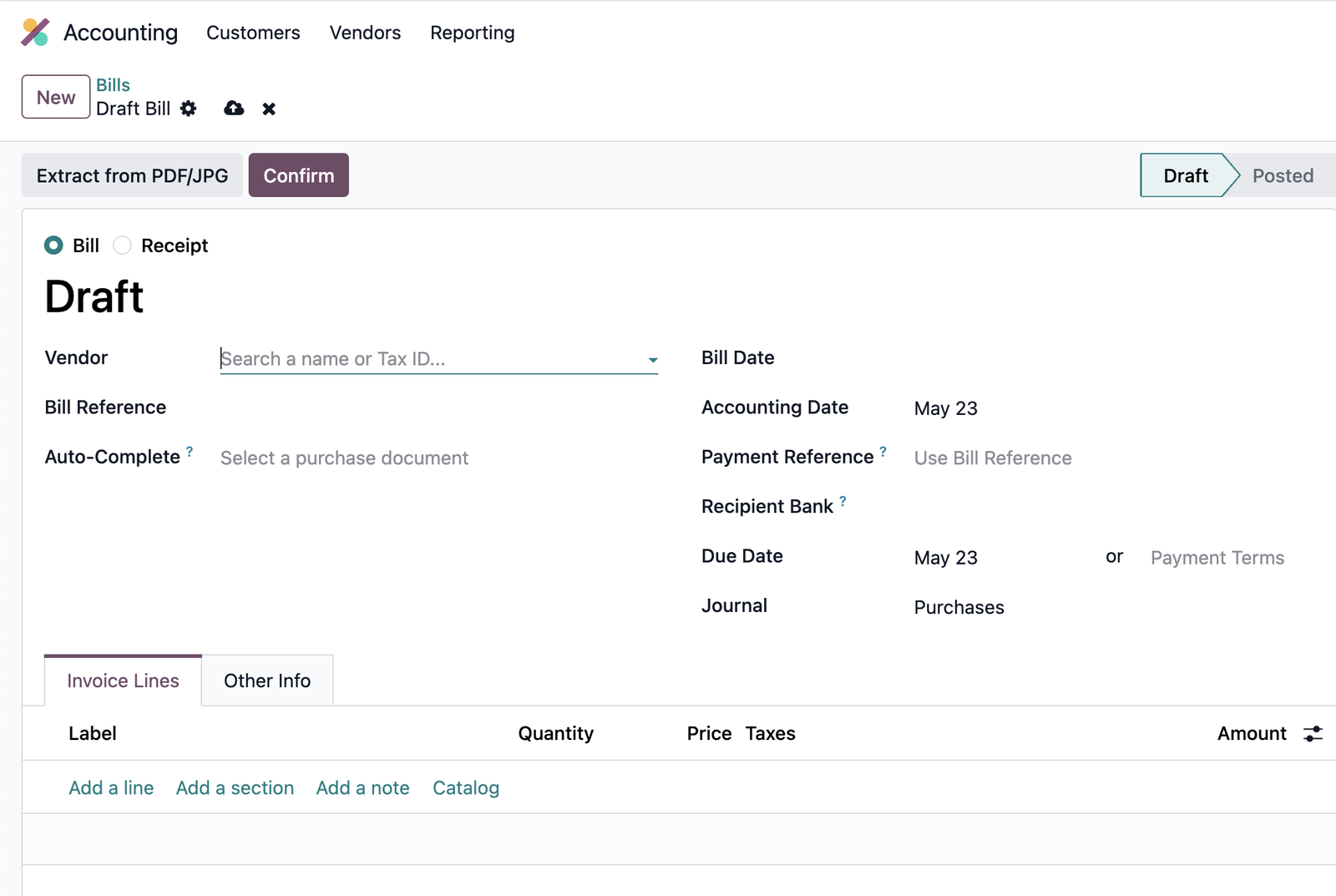
1. Two entry points: from a bill, or from the menu
Open a draft vendor bill or refund and click Extract from File; the button is gated to draft incoming invoices where it belongs. Or use Accounting > Vendors > Extract Bill from File to drop a PDF, image, Excel, CSV or Google Sheets export and let the module create the draft bill for you.
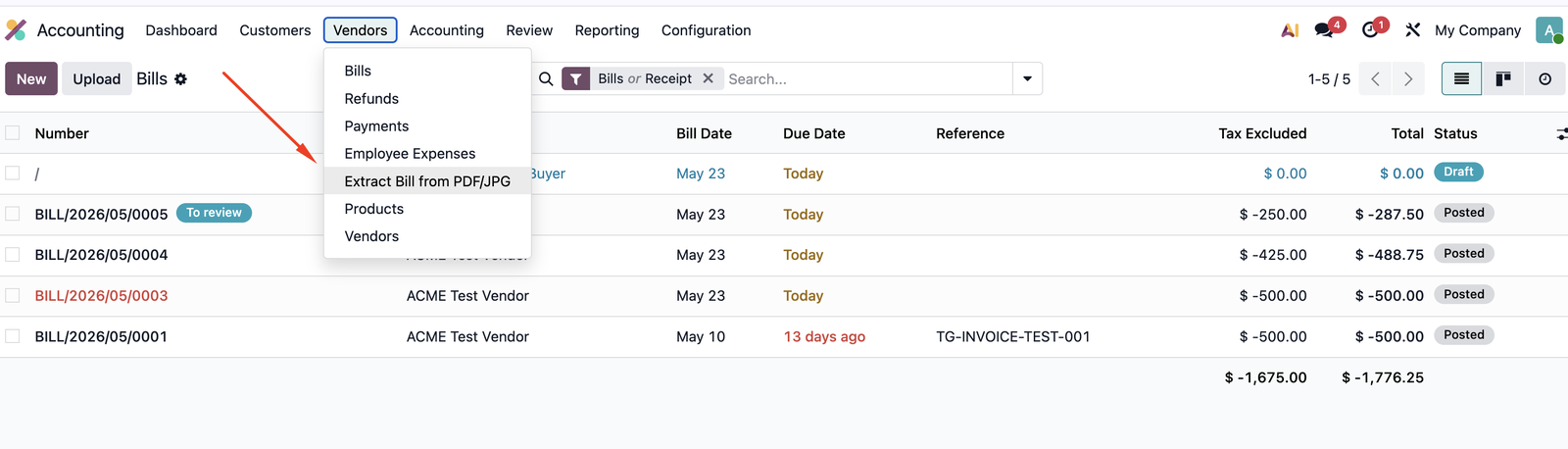
2. Review with a confidence score on every field
The preview shows what the AI read with a green / amber / red badge per field and per line. Vendor, dates, currency, line items, totals. Fix anything inline before it touches the bill.
3. Your monthly quota, always visible
Settings shows X / 15 extractions used this month. Only successful extractions count, the quota resets on the 1st. No surprise overage, no credit card on file.
Pricing
Free covers the loop. Pro covers the volume.
The free module covers the full extract-review-confirm loop for low to moderate volume. Pro adds the workflow and automation that high-volume AP teams need.
Free
€0Everything you need to try it on real invoices and decide. Never expires, not time-limited.
- + 15 extractions per company per month
- + Per-field confidence scoring
- + Vendor, tax and account matching
- + PDF, image, Excel, CSV, Google Sheets up to 12 MB
- + Arabic and RTL support
- + Odoo 17, 18 and 19
Pro
CustomFor AP teams processing dozens of bills per day. Pricing scales with monthly volume.
- + Unlimited monthly extractions
- + Multi-step approval workflow
- + 3-way match (PO / receipt / bill)
- + Email-in (forward to mailbox)
- + Auto-post above confidence threshold
- + Learns from your corrections per vendor
Install
Install from Odoo Apps in one click.
Pick your Odoo version. The free module installs in 30 seconds and depends only on Accounting.
FAQ
Things people ask before they install.
Is my data sent anywhere?
The uploaded file is sent to the Rteam AI gateway for extraction and is not retained after the response. Only the extracted data lands on your draft bill. No bill content is stored on our side.
What is the 15-per-month limit?
Each Odoo company gets 15 successful extractions per calendar month, tracked locally. Failed attempts (gateway error, unreadable file) do not count. The counter resets on the 1st.
Does this work with my existing CoA and taxes?
Yes. The module matches purchase taxes against your account.tax records by rate, and lets Odoo compute the default expense account. It does not invent accounts or taxes behind your back.
What versions of Odoo are supported?
Odoo 17.0, 18.0 and 19.0, both Community and Enterprise. The module depends only on the Accounting app.
Can I run my own AI gateway?
Yes. Settings > Accounting > Auto Extract any Bill exposes a Gateway URL field. Point it at any compatible endpoint and the module sends extractions there.
Is the source code available?
Yes. The module is open source under LGPL-3 on github.com/RteamAgency/rteam-ai-invoice-free. You are free to read, fork, audit and contribute.
Try it on your next bill.
Install free from Odoo Apps. No card, no account, no API key. Fifteen bills a month per company, every month, on us.